Business cards
Issue business cards in seconds not days


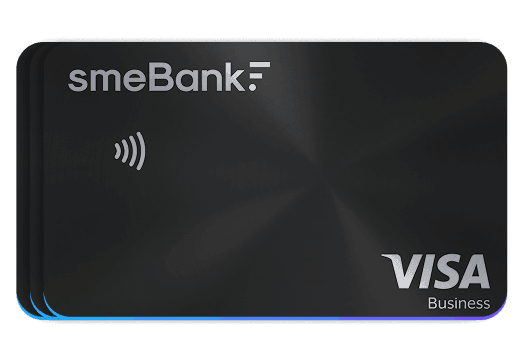
Business cards
Issue business cards in seconds not days
Simple business card issuing with minimal employee verification
Simple business card issuing with minimal employee verification, that takes under 60 seconds after verifying employee through automated tools.

1. Company opens the account
2. Verify employee through automated service

3. Card is ready for employee usage
 Visa debit cards
- Visa debit cards
- Visa debit cards
- Visa debit cards
- Visa debit cards
- Visa debit cards
- Visa debit cards
- Visa debit cards


Available with the Scale and Pro plans. The Pro Card is designed for businesses that want a more premium payment experience, combining everyday Visa convenience with a refined high-end finish.

Will be available with the Pro+ plan. The Metal Card is built for companies that want their card to reflect prestige, durability and confidence every time it is used.
Business and employee is verified once. After that every employee card is just a card.
KYC sits at the company level - employee needs only document verification. Once business and employee is cleared all cards are issued under 60 seconds.


Unlimited
Virtual cards are active and available immediately

Google Pay / Apple Pay (coming soon)
Ready in under 30 seconds

Multiple card management
Unlimited number of employees cards done in 1 step
Get your SME Bank business card
Be the first to access SME Bank cards
Frequently asked questions
We’re happy to help you choose the right plan. Check out our FAQs for answers to the most common questions.
Card security settings allow you to manage how your card can be used. In your card settings, you can independently toggle contactless payments, online transactions, or ATM cash withdrawals on or off at any time.
You can adjust your daily, monthly, or per-transaction card spending limits anytime in your account app or web portal under card settings.
First, check your available account balance and review your card spending limits or restrictions in the app. If your card settings are correct and you are still unable to pay, please contact our support team for assistance.
If you suspect your card details have been compromised or notice unrecognized transactions, immediately freeze your card in your account and contact our support team.
Worldwide. Your card works anywhere Visa is accepted, including millions of online merchants, physical stores, and ATMs globally.
Currently, you can manually add your card to Google Wallet. Full Google Wallet integration and Apple Pay support are coming soon!
The pricing of the cards depends on your subscription tier and can be found in the subscription pricing page.
You can view or remind yourself of your PIN and 3DS password anytime by opening the Cards section in our mobile app or web portal.
Your PIN and 3DS security passwords are automatically generated when your card is ordered or activated and are sent to cardholder via SMS.
Any company employee who has successfully completed verification and the required KYC (Know Your Customer) procedure can be issued and use a card.
Log in to your business account, go to the Cards section, choose between a virtual or physical card, and follow the on-screen prompts to issue your card.
A virtual card is a digital payment card without a physical piece of plastic, designed for fast and secure online or mobile payments.
You can order both Virtual and Physical Visa Business Debit Cards